Any hauling operation
Everything going on, right now
RightNow is the screen RouteNow opens on: a tile for every Now, the ones that need you flagged, and one click into any of it. Each Now's title takes you back.
 RightNowDispatchNowTrackNowTaskNowContractNowMoneyNowCollectNowNoteNowWV Hauling & Disposal
RightNow opens on a tile for each Now: its live figure, a line, its bar and what to look at first, and a flag where something needs you.
→Help, on every screen
Press the cap. Ronnie tells you about it.
A small cap sits on every screen, list, form and side panel. Press it and Ronnie speaks first, right there: what you're on, and its parts as questions, one tap each. Every answer comes from the guides, with where it's written.
AccountsWV Hauling & DisposalYou're on Accounts: the customer book in one list. What do you want to know about it?
How do I use Search?How do I use Expand arrow?How do I use Stage?How do I use Status?Stage chooses which kind of accounts the list shows: Customers, Prospects or All. Your screen is set to Customers.
Stage also steers Account Setup: with only Prospects showing, it makes a prospect. Otherwise it makes a customer.
From the guides: 3.1.3 Stage · 3.1 Accounts
The guides don't cover that yet.
Sent to the RouteNow AI team.
All the guides, to read here. Ask about anything in them.
Product Guide62 pagesOnboarding Guide35 pagesTraining Guide, Billing32 pagesTraining Guide, Routing and Dispatch35 pagesTraining Guide, On the Road39 pagesTraining Guide, The Customer16 pagesEvery screen, list, form and side panel has one, always in the same place: after a list's title, at the end of a side panel's head, beside a form's ✕.
→Any hauling operation
A call becomes a task
Who, what, when, anything special, and the charge. Five steps, and it is on the day you will do it.
TaskNowWV Hauling & DisposalType a name, an account number or a street. The account comes up with its address, and its location is picked for you.
→Any hauling operation
Every job to the route that can do it
To place on the left, the day's routes on the right. Pick a job, see where it fits, and drag it on.
DispatchNowWV Hauling & DisposalRoutes working, stops planned, work to place and what the trucks report. Every route of the line is a card: its truck, its stops, a bar against the busiest.
→One weekday
Which route every stop is on
See the whole day on one map, then move stops between routes by sweeping them.
PlanNow/ TuesdayWV Hauling & DisposalNot saved until you Apply
✓11 stops moved · Route 2 waits to be sequenced
✓Route 2 put in drive-time order
Share Tuesday's plan
Every stop that day holds goes on the map, coloured by its route. A stop no route has yet shows grey.
→One route-day
The route that routes itself
Give it a few pointers. SequenceNow does the rest.
SequenceNow/ Route 3WV Hauling & DisposalService Both Sides Separately
Lake Avenue · 215 on the odd side, 420 on the even
Allow Turnarounds at Stops
215 Lake Avenue, then 208 Union Street
Route 3
- Leaves Yard
- 6:30a7:00a
- Default Stop Time (sec)
- 9060
- Stop Time Override (seconds)Main Street Apartments
- 270
- Time at Place (seconds)Springfield Transfer Station
- 1200
- Time at Place (seconds)Lakeview Park
- 1800
Go via Birch Street
Why is it the better way?
Low wires on Lincoln AvenueCancelSave the steer| Order | stops | yds | to 1st | collect | to dump | to yard | deadhead | Drive | At stops | Day | Clock | ||
|---|---|---|---|---|---|---|---|---|---|---|---|---|---|
| My order | 20 | 114 | 8m3.1 mi | 2h 58m69.9 mi | 10m3.9 mi | 23m15.3 mi | 14.2% | 3h 39m92.2 mi | + | 33m | = | 4h 12m53% of 8h | 6:30a → 11:32a5h 02m |
| RouteNow AI | 20 | 114 | 8m3.1 mi | 2h 36m61.1 mi | 10m3.9 mi | 23m15.3 mi | 15.7% | 3h 17m83.4 mi | + | 33m | = | 3h 50m48% of 8h | 6:30a → 11:10a4h 40m |
| Difference | · | · | ·· | +22m+8.8 mi | ·· | ·· | −1.6pt | +22m+8.8 mi | · | +22m+4.6pt |
| Order | My order | RouteNow AI | Difference |
|---|---|---|---|
| stops | 20 | 20 | · |
| yds | 114 | 114 | · |
| to 1st | 8m3.1 mi | 8m3.1 mi | ·· |
| collect | 2h 58m69.9 mi | 2h 36m61.1 mi | +22m+8.8 mi |
| to dump | 10m3.9 mi | 10m3.9 mi | ·· |
| to yard | 23m15.3 mi | 23m15.3 mi | ·· |
| deadhead | 14.2% | 15.7% | −1.6pt |
| Drive | 3h 39m92.2 mi | 3h 17m83.4 mi | +22m+8.8 mi |
| + At stops | 33m | 33m | · |
| = Day | 4h 12m53% of 8h | 3h 50m48% of 8h | +22m+4.6pt |
| Clock | 6:30a → 11:32a5h 02m | 6:30a → 11:10a4h 40m |
Day = driving (free-flow) plus the expected time at each stop.
RouteNow AI orders every weekday's stops by drive time on real roads, from the yard to the dump, and draws the line. Re-sequence with one click whenever the route changes.
Today, or any day
Every truck, against the route it should run
Every truck on your GPS tracker, live on one map beside the routes they run, and any past day played back against its plan.
TrackNowWV Hauling & DisposalWhere each truck is, every 15 seconds: moving or stopped, the street it is on, its trail and its miles so far. One that has gone quiet says since when.
→GPS connectors
Your trackers, connected
Already have GPS on your trucks? We connect it, and every device finds its truck in a few clicks.
RouteNow AITrackNow/ Companies/ Trucks/ TodayWV Hauling & DisposalGPS tracker
✓Signed in to Verizon Connect. 5 devices on the account. No truck is linked to a GPS device yet.
Devices on the account
Link devices to trucks on the GPS panel under Trucks.
✓GPS credentials saved.
GPS · Verizon Connect — match devices to trucks
✓4 devices linked, 1 truck added.
Verizon Connect, Samsara or Tracksolid, with more on the way. We connect it for you, and its sign-in is kept where no screen ever shows it again.
→Inside TrackNow
The stops worth a look, and why
From the GPS tracker you already have: Verizon Connect, Samsara or Tracksolid. The whole route-day on one screen, then each stop on the map with its reasons.
TrackNowWV Hauling & DisposalStopped 6:32 AM · 20 s · 160 ft from the containers · Truck 12
Pick a day and a route in TrackNow. Every stop on it is scored from the truck's GPS, and the route's row says how it went: ProofNow · 207 good · 79 uncertain.
→At the desk
Live, the pickup, and the proof
Over TrackNow’s map, from the truck list and each stop’s card: the cameras, the pickup, and the file you hand your customer.
TrackNowWV Hauling & Disposal 7:30
 7:36
 ! 7:45Rolling stop
 7:48
 ! 8:02Harsh brake
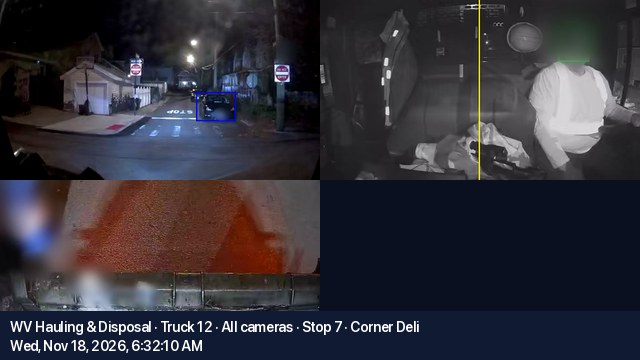 Truck 12 Stop 7 Corner Deli all cameras 2026-11-18 6-32 AM.mp4
Adapts to what your cameras can do
One click on a truck’s camera button and you’re looking inside it, live, right now: the road, the driver and the hopper — whatever that truck’s cameras can do.
→On your phone
The same window, in your pocket
In MobileNow, one tap from a truck’s sheet: its cameras, its stops, the day’s pictures and the customer’s file, laid out for your thumb.
TrackNowWV Hauling & Disposal
Where each truck is now. Tap one for where it has been, its cameras and pictures.
6:44 PM · 16 mph · now6:32 AM · Stop 7 · Corner Deli
 7:12a
 7:24a7:30a7:36a7:45aRolling stop7:48a8:02aHarsh brake
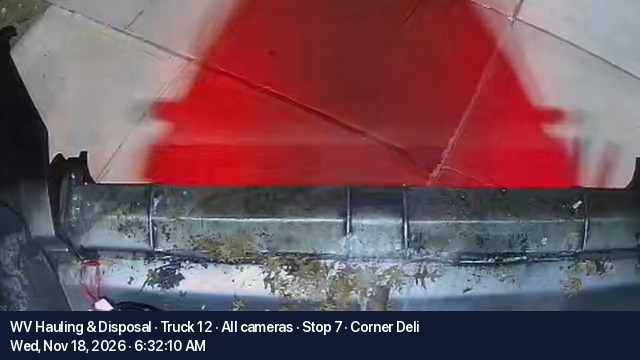 Truck 12 Stop 7 Corner Deli Hopper 2026-11-18 6-32 AM.mp4Video · with the facts on every frame
Its first job
DispatchNow's route sheet, on a phone
The sheet you print, opened from a link — live, and with nothing else around it. Tap through the day.
MobileNowDispatchNow· Route SheetWV Hauling & Disposal
- DATE
- Mon, Oct 19, 2026
- ROUTE
- Route 2
- TRUCK
- Truck 4
- DRIVER
- Sam Ortiz
- 1 Maple Street DinerServiced418 Maple StreetSpringfield 627042 - 96 Gal TotersMo, We, FrTotes are behind the side gate
- 2 Bright Smile DentalServiced1207 Elm AvenueSpringfield 627041 - 4yd Rear LoadMo, Th
- 3 Shared Dumpster (3)Oakwood Court A · Oakwood Court B · Oakwood Court CPending75 Oakwood CourtSpringfield 627041 - 6yd Front LoadMo, We, Fr
- 4Extra · Deliver — Northgate Builders LLCPendingServiced2290 Industrial DriveSpringfield 627041 - 20yd Roll-offStreet side, permit is posted
- 5 Sudsy's LaundromatPending640 Front StreetSpringfield 627033 - 96 Gal TotersMo, Th
RouteNow — Route Sheet: Route 2, Mon, Oct 19 · 9 stops. Open it: https://app.routenow.ai/run/7c41e0d2-…
RouteNow AIOpen it in RouteNow — sign in with your RouteNow account.app.routenow.ai- Address
- 2290 Industrial DriveSpringfield 62704
- Service
- 1 - 20yd Roll-offC&D
- This stop note
- Street side, permit is posted
Sign in to RouteNow AI and that run's sheet opens, in the right hauler. The same stops in the same order as the printed sheet, and live: a stop marked in DispatchNow shows on the phone within a second, and the other way round.
Made for one hand in a cab: the heading stays pinned, Next pending skips what's done, Hide done clears the list, and the screen stays awake while the sheet is open.
For the office
The office, in your pocket
Who owes you, what you billed, and where each truck is and has been, read from the phone in your pocket. Tap through it.
MobileNowMoneyNow· Cash FlowMoneyNow· BillingsTrackNowToday
Route 2 route sheetMon, Nov 9 · sent 5:58 AM by DanaOpenedRoute 3 route sheetMon, Nov 9 · sent 6:02 AM by DanaNewComing up
Route 2 route sheetTue, Nov 10 · sent 9:15 AM by DanaNewEarlier · last 14 days
Show 6 earlierWV Hauling & Disposal
Owed figures as of 10:20 AM today
Open invoices · oldest first
WVHD-0418$516.00Due Sep 268 days lateWVHD-0563$516.00Due Oct 238 days lateWVHD-0702$516.00Due Nov 18 days lateLast payment
Check$516.00Tue, Nov 3WV Hauling & Disposal
What was billed, by the dates on each line
WV Hauling & Disposal
Where each truck is now. Tap one for where it has been, its camera and pictures.
8:52a · 18 mph10:24a · 24 mph · now
Maple Street · heading EElm Avenue · heading E
MobileNowTwo tiles: who owes you and who has paid. The aging bar shows how old the money is; tap a band to see who is in it, and what it is for.
→Audit trail
Who's on, and who changed what
See who in your company is working right now and where. Every record keeps its whole story, from the day it was born: who made it, who changed it, what it was and what it became.
WhoNowAccountsWV Hauling & Disposal| User | Status | Where | Record open | Company | Last seen |
|---|---|---|---|---|---|
| Dana Brooks | Active | Accounts | Accounts — editing | WV Hauling & Disposal | 11/20/26, 2:15 PM |
| Luis Ramos | Active | PriceNow | WV Hauling & Disposal | 11/20/26, 2:14 PM | |
| Mei Lin | Idle | DispatchNow | WV Hauling & Disposal | 11/20/26, 2:03 PM | |
| Tom Reyes | Gone | TrackNow | WV Hauling & Disposal | 11/19/26, 5:41 PM |
| Account |
|---|
| Bayview Pizza |
| Corner Deli |
| Elm Street Laundromat |
| Harbor Marina |
| Lakeside Dental |
| Okafor Residence |
| Rossi Residence |
Office › WhoNow shows everyone in your company: the screen they are on, the kind of record they have open, and when they were last in. Active within 2 minutes, idle to 15, then gone.
→Inside the Route Sheet
Snap the dump ticket. It reads itself.
Drop a photo of the ticket on the run it came from. The facility, ticket number, truck, weight and total are read off it, pounds become tons, and anything off is flagged for a look.
RouteNowWV Hauling & DisposalReason: Slip date 2026-09-28 is 21 days from the run's 2026-10-19 — confirm it's the right slip.
On the run's Dump Slips tab, drag in a photo or a PDF, or click to upload; several at once. The AI reads it while you watch.
→Any hauler that weighs
Every weigh-in, and who isn't weighed
What came in, by the day and the route. What looks wrong. And which services nobody weighs.
WeighNowWV Hauling & DisposalWeigh-ins a day
To look at
Who is being weighed
Who typed them in
Dana47Luis27Mei16Its weigh-ins, Nov 7 to Oct 30
The dashed line is its usual, 1,153 lb; this weigh-in is red, an extra pickup grey.The service
Every weigh-in
Oct 30 2026Luis2,370 lbOct 23 2026Luis990 lbOct 13 2026Dana1,010 lbOct 9 2026Dana1,080 lbSep 29 2026Mei1,060 lbSep 11 2026Mei1,220 lbSep 4 2026Dana990 lbSep 1 2026Luis1,300 lbAug 25 2026Luis1,190 lbAug 18 2026Dana990 lbAug 14 2026Luis1,120 lbAug 7 2026Dana1,080 lbGrouped under the day and the route that picked it up. Each header counts its weigh-ins and pounds, and names who typed them in.
→NYC Commercial Waste Zones
Is every service under the maximum, and was the filing right?
Built for New York City's Commercial Waste Zone maximums, BIC filings and billing rules. No more guessing: you have the tools to know where every service stands, RightNow.
CheckNowNYC/ Gullhaven HospitalityWV Hauling & DisposalGullhaven Café
Trash · Mon, Thu — Weekly · billed by the yard
Is the service under NYC's Zone SI-1 max?
Think it's wrong? Check which weigh-ins count.
Countingthe last 4 weigh-ins · Oct 26, 2026 – Nov 5, 2026
165 lb a pickup on average × 2 pickups a week × 4.33 weeks = 1,429 lb a month = 7.14 yd at 200 lb a yard, rounded to 7 ydHide the weigh-ins
Older: not among the last 4 weigh-ins
Extra pickups and a weight keyed twice are not counted.
Trash · Mon, Thu — Weekly · billed by the yard
Was the BIC filing right?
Open CheckNow on any account. Each service carries its own answer: over the max and by how much a month, within it, or still needing weigh-ins.
→Built for NYC's BIC register
Your BIC report, line by line, and the next one drafted
The BIC reports you already filed, audited line by line, so you know your exposure. No more guessing: every check is one tap from the locations behind it, and the quarter running now is drafted from your bills.
BicNow/ BIC Reports as FiledWV Hauling & DisposalEvery BIC customer register on file, by quarter, and the next one, drafted from your bills. You pick a report, not dates.
→Rate cards
Every service starts from the right number
Your rate cards: one rate for each stream and the truck that collects it. Add a service and PriceNow works the price out from the card, shows its working, and fills it in.
Rate CardsAccountsWV Hauling & Disposal| Waste | Truck | Rate | Per Unit | Name | Note |
|---|---|---|---|---|---|
| Recycling | Front Load Packer | 5.25 | Yards | Recycling - Front Load Packer | |
| Trash | Front Load Packer | 8.50 | Yards | Trash - Front Load Packer | |
| Trash | Rear Load Packer | 11.75 | Yards | Trash - Rear Load Packer | |
| Trash | Rolloff / Hooklift | 92.00 | Ton | Trash - Rolloff / Hooklift (per ton) |
Exporting every rate card as an .xlsx workbook. Foreign keys are written as plain names, so the file re-imports with ImportNow — into this account or another.
System › Rate Cards: one rate for each stream and the truck that collects it, per yard, gallon, pound or ton. Every suggested price is worked from these.
→Service agreements
The agreement, made from what the customer already runs
No retyping a contract from a template. ContractNow builds it from the account's own services, prices and your words, and keeps every one the account ever had.
AccountsWV Hauling & DisposalOpen ContractNow on the account. The services its site already runs are the agreement: press New contract.
→Inside InvoiceNow
Take a payment, and it settles the oldest first
By phone or at the counter, full or partial: cash, check or card. The oldest invoice is paid first, the receipt is ready to print, and a setup link lets the customer keep a card on file.
AccountsWV Hauling & Disposal| Created | Invoice | Invoice date | Period | Amount |
|---|---|---|---|---|
| Sep 1, 2026 | WV0118-0009 | Sep 1, 2026 | Sep 1 – Sep 30 | $240.00 |
| Oct 1, 2026 | WV0118-0010 | Oct 1, 2026 | Oct 1 – Oct 31 | $240.00 |
| Nov 1, 2026 | WV0118-0011 | Nov 1, 2026 | Nov 1 – Nov 30 | $265.00 |
- Customer
- Harbor Marina
- Amount
- $400.00
- Method
- Check · Ref 1182
- Received
- Nov 17, 2026
- WV0118-0009
- $240.00
- WV0118-0010 · $80.00 still due
- $160.00
Invoices are sent and wait to be paid. Send the customer a setup link and they can put one on file themselves.
Open an account in InvoiceNow. Its balance leads the pane: $745.00, 3 open. Take a payment sits right beside it.
→Inside CollectNow
Know who owes you, and for exactly how long
Every account that owes, by how old the money is. Switch how it's aged, read the account's story beside the list, and print the statements.
CollectNowWV Hauling & Disposal| Account | Current | 1–30 | 31–60 | 61–90 | 90+ | Total | Oldest Due | |
|---|---|---|---|---|---|---|---|---|
| ✓ | Harbor Marina | $385.00 | $385.00$385.00 | $385.00$385.00 | $385.00$385.00 | $385.00 | $1,540.00 | Aug 15, 2026 |
| ✓ | Rossi Residence | $65.00 | $65.00$65.00 | $65.00$65.00 | $65.00$65.00 | $65.00$130.00 | $325.00 | Jul 15, 2026 |
| Bayview Pizza | $310.00 | $310.00$310.00 | $160.00$310.00 | $160.00 | $780.00 | Sep 15, 2026 | ||
| Corner Deli | $240.00 | $240.00$240.00 | $240.00 | $480.00 | Oct 15, 2026 | |||
| Elm Street Laundromat | $260.00 | $260.00 | $260.00 | Nov 15, 2026 | ||||
| Lakeside Dental | $180.00 | $180.00 | $180.00 | Nov 15, 2026 | ||||
| Okafor Residence | $95.00$95.00 | $95.00 | Nov 27, 2026 | |||||
| Total | $1,535.00$95.00 | $1,000.00$1,440.00 | $610.00$1,000.00 | $450.00$610.00 | $65.00$515.00 | $3,660.00 |
| Billing Group | Current | 1–30 | 31–60 | 61–90 | 90+ | Total |
|---|---|---|---|---|---|---|
| Commercial | $1,375— | $935$1,375 | $545$935 | $385$545 | —$385 | $3,240 |
| Residential | $160$95 | $65$65 | $65$65 | $65$65 | $65$130 | $420 |
| Total | $1,535$95 | $1,000$1,440 | $610$1,000 | $450$610 | $65$515 | $3,660 |
| Invoice | Due | Age | Remaining |
|---|---|---|---|
| WVHD-0536 | Sep 15, 2026 | 66d | $160.00 |
| WVHD-0659 | Oct 15, 2026 | 36d | $310.00 |
| WVHD-0787 | Nov 15, 2026 | 5d | $310.00 |
One page per account: everything it owes, oldest first, with how old each invoice is. Nothing is emailed.
Every account that owes, across Current, 1–30, 31–60, 61–90 and 90+, with its total and oldest due date. It's caught up from your processor each time you open it.
→Beside CollectNow
The whole account on one page
An invoice is one job; a statement is the whole account. Every charge, every payment, what is still owed and how old: one page you can hand a customer who asks "for what?"
CollectNowWV Hauling & Disposal| Account | Total |
|---|---|
| Harbor Marina | $1,540.00 |
| Rossi Residence | $325.00 |
| Bayview Pizza | $780.00 |
| Corner Deli | $480.00 |
| Elm Street Laundromat | $260.00 |
| Lakeside Dental | $180.00 |
| Okafor Residence | $95.00 |
| Invoice | Invoiced | Due | Age | Amount | Paid | Remaining |
|---|---|---|---|---|---|---|
| WVHD-0536 check #1254 · 2026-10-06 · $150.00 | Sep 1, 2026 | Sep 15, 2026 | 66d | $310.00 | $150.00 | $160.00 |
| WVHD-0659 | Oct 1, 2026 | Oct 15, 2026 | 36d | $310.00 | — | $310.00 |
| WVHD-0787 | Nov 1, 2026 | Nov 15, 2026 | 5d | $310.00 | — | $310.00 |
| Transaction | Invoice Date | Item | Charge | Paid | Balance |
|---|---|---|---|---|---|
| May 31 | Balance forward | $0.00 | |||
| Jun 1 | Jun 1 | Invoice WVHD-0201 | $310.00 | $310.00 | |
| Jun 10 | Jun 1 | Payment received — applied to WVHD-0201 | $310.00 | $0.00 | |
| Jul 1 | Jul 1 | Invoice WVHD-0327 | $310.00 | $310.00 | |
| Jul 14 | — | Payment received — applied to WVHD-0327 | $310.00 | $0.00 | |
| Jul 14 | — | Check #1187 — $310.00 received | $0.00 | ||
| Aug 1 | Aug 1 | Invoice WVHD-0410 | $310.00 | $310.00 | |
| Aug 12 | Aug 1 | Payment received — applied to WVHD-0410 | $310.00 | $0.00 | |
| Sep 1 | Sep 1 | Invoice WVHD-0536 | $310.00 | $310.00 | |
| Oct 1 | Oct 1 | Invoice WVHD-0659 | $310.00 | $620.00 | |
| Oct 6 | — | Payment received — applied to WVHD-0536 | $150.00 | $470.00 | |
| Oct 6 | — | Check #1254 — $150.00 received | $470.00 | ||
| Nov 1 | Nov 1 | Invoice WVHD-0787 | $310.00 | $780.00 |
| DATE | ITEM | CHARGE | PAID | BALANCE |
|---|---|---|---|---|
| Oct 1 | Invoice WVHD-0659 | $310.00 | $620.00 | |
| Commercial trash · 4 yd · Oct 1–Oct 31 | $310.00 | |||
| Oct 6 | Check #1254 — applied to WVHD-0536 | $150.00 | $470.00 | |
| Nov 1 | Invoice WVHD-0787 | $310.00 | $780.00 | |
| Commercial trash · 4 yd · Nov 1–Nov 30 | $310.00 |
Pick an account in CollectNow or Accounts and StatementNow opens beside the list. First, what you read before you call: owes $780.00, oldest 66 days past due.
→Payments
Every payment on the account, in one place
Cards, checks and cash, the cards on file, and whether the invoices charge themselves. One look answers the call that starts with 'did we pay you?'
AccountsWV Hauling & DisposalOpen LedgerNow on any account. Every payment, newest first, each said in a plain sentence: what it paid, how, and how much.
→Payouts and deposits
Where your money lands
One place for where the money stands: what is owed, what is on the way, what is in the bank, every payment received and how it was taken, and the cash and check drawer.
MoneyNowWV Hauling & Disposal| Arrived | Payments | Charged | Fees | Other | Paid out | Status |
|---|---|---|---|---|---|---|
| Nov 19, 2026 | 6 payments | $1,272.00 | −$35.60 | $0.00 | $1,236.40 | Expected |
| Nov 13, 2026 | 9 payments | $3,004.00 | −$85.38 | $0.00 | $2,918.62 | Paid |
Invoice numbers are not on these lines: the processor only links a charge to an invoice when the invoice took the payment itself.
| Invoice Date | Payment Date | Customer | How | Amount | Rail | Taken | Banked |
|---|---|---|---|---|---|---|---|
| Sep 1, 2026 | Nov 17, 2026 | Harbor MarinaNov 17, 2026 | Check #1182In the office | $400.00 | Check | In the office | No |
| Nov 1, 2026 | Nov 16, 2026 | Corner DeliNov 16, 2026 | Check #2231In the office | $268.00 | Check | In the office | No |
| Nov 1, 2026 | Nov 16, 2026 | Maple DinerNov 16, 2026 | Cash (ref 135)In the office | $392.00 | Cash | In the office | No |
| Nov 1, 2026 | Nov 15, 2026 | Rossi ResidenceNov 15, 2026 | Visa ending 3307Customer paid | $90.00 | Credit card | Customer paid | |
| Nov 1, 2026 | Nov 14, 2026 | Bayview MotelNov 14, 2026 | Bank transferCustomer paid | $325.00 | Bank | Customer paid |
| Received | Customer | Method | Amount | Reference | Deposited | |
|---|---|---|---|---|---|---|
| Nov 17 | Harbor Marina | Check | $400.00 | 1182 | — | |
| Nov 16 | Corner Deli | Check | $268.00 | 2231 | — | |
| Nov 16 | Maple Diner | Cash | $392.00 | 135 | — |
| Billed for | Billed | Share |
|---|---|---|
| Commercial trash · service type | $6,180.00 | 62.7% |
| Recycling · service type | $2,240.00 | 22.7% |
| Fuel surcharge · billing code | $890.00 | 9.0% |
| Extra pickup · billing code | $550.00 | 5.6% |
| Gross billed | $9,860.00 | |
| Credit notes | −$120.00 | |
| Net billed | $9,740.00 |
Overview opens on three numbers for three questions: owed to you, $7,505.00; on the way, $1,236.40; in the bank, $2,918.62. Each says whose figure it is.
→Your invite
From the email to your RouteNow AI
What happens when you accept, and how to send us what you already keep. Tap through it.
An email from Ronnie at RouteNow AI, with one button: Accept your invite. The link works once, for seven days.